Not a chatbot. An operating system for human-AI work.
Most AI products are destinations you visit. Hapax is the environment where your team and AI agents work together on real projects, with shared context, parallel execution, and full human oversight.

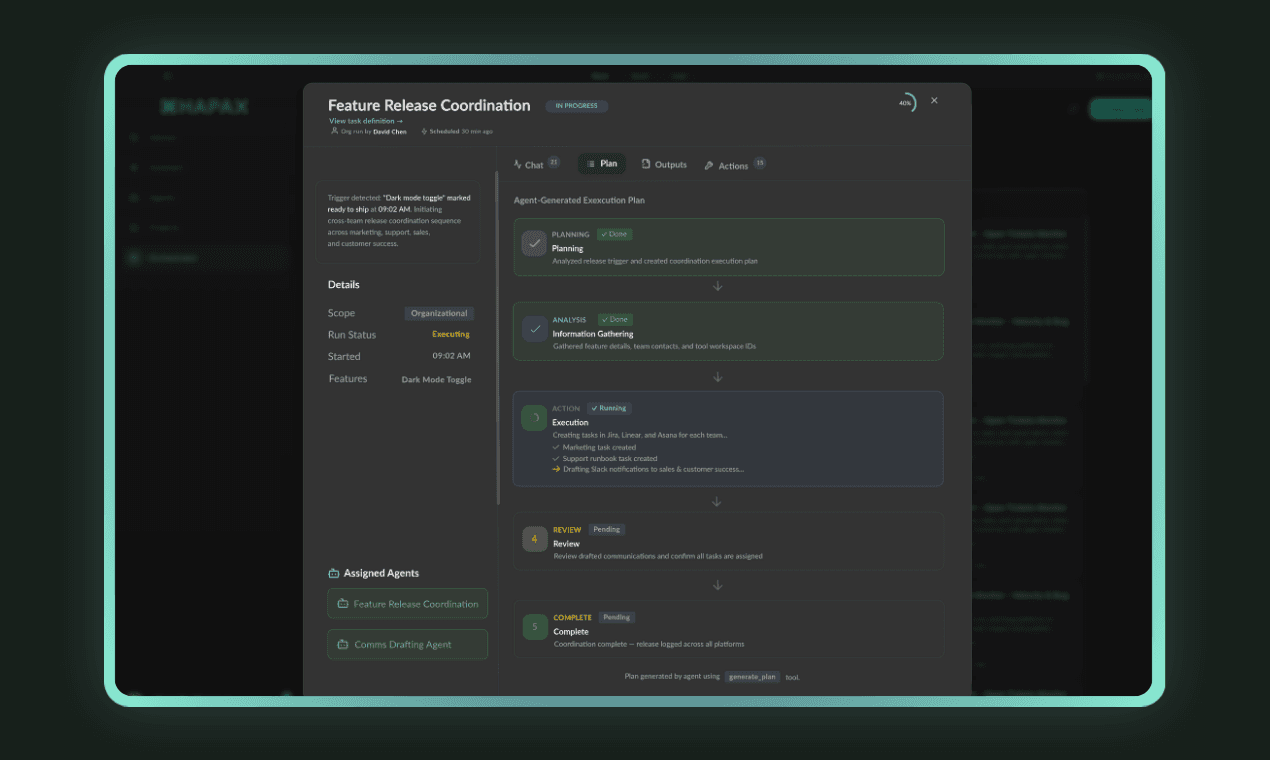
Three concepts that make it work
Collaboration Projects
Every meaningful piece of work lives in a Project. A Project isn't a chat thread that evaporates. It's a persistent workspace with accumulating context. Every conversation, every document, every decision, every agent contribution is captured and builds on what came before.
When an agent joins a Project, it has full context on everything that's happened. When a new team member joins, they can catch up instantly. The Project is the single source of truth for a workstream, shared by humans and agents alike.
- ● Persistent context that compounds over time
- ● Shared across humans and AI agents equally
- ● Full history of decisions, contributions, and outputs
- ● Templates for recurring project types
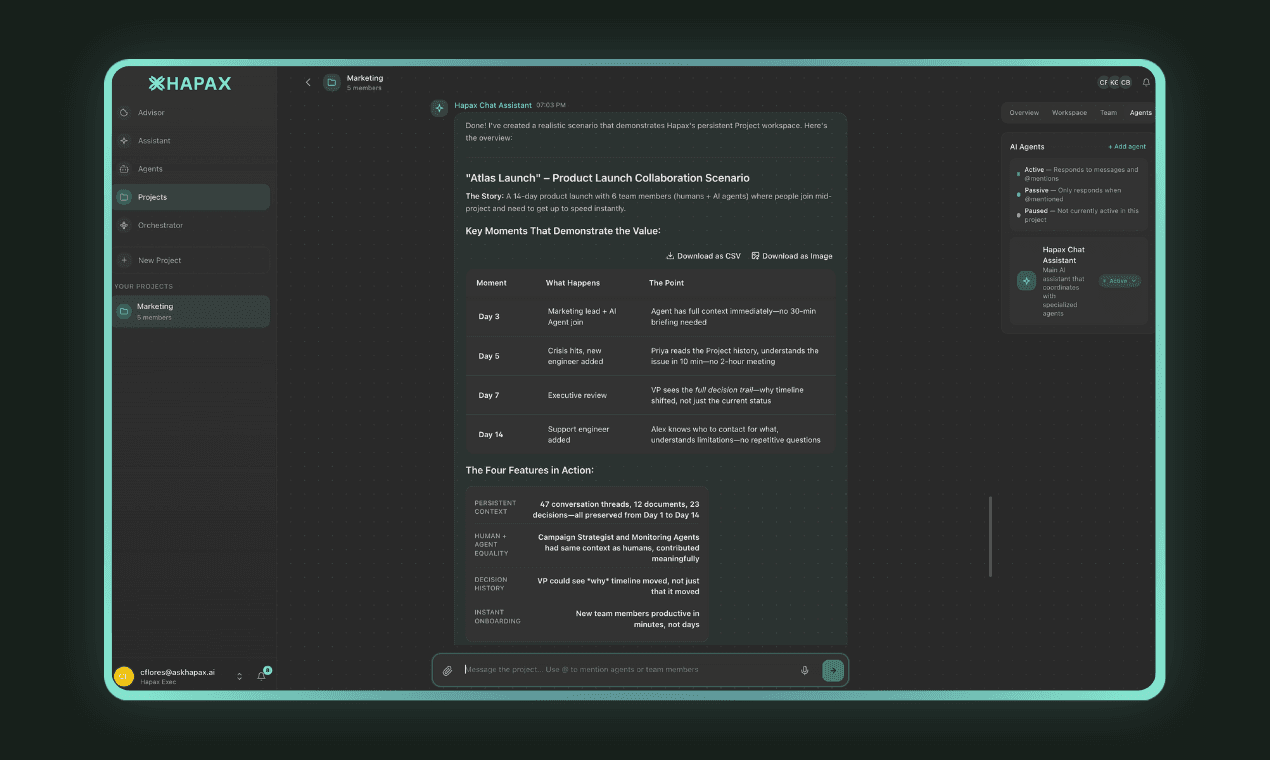
Agents That Participate
In most AI tools, the AI sits and waits. You prompt it. It responds. End of interaction. In Hapax, agents are active participants. They listen to project activity, recognize when they can contribute, and proactively offer to take on work.
Your team @mentions an agent when they need specific expertise. But agents also speak up unprompted when they notice something: a deadline approaching, a pattern they've seen before, a task they can handle, or a risk that needs attention. The shift from reactive to proactive is what makes it feel like having a team member, not just a tool.
- ● Agents monitor project activity and contribute autonomously
- ● @mention any agent to bring specific expertise into a conversation
- ● Agents flag risks, suggest actions, and volunteer for tasks
- ● Natural collaboration, not rigid prompt-response cycles
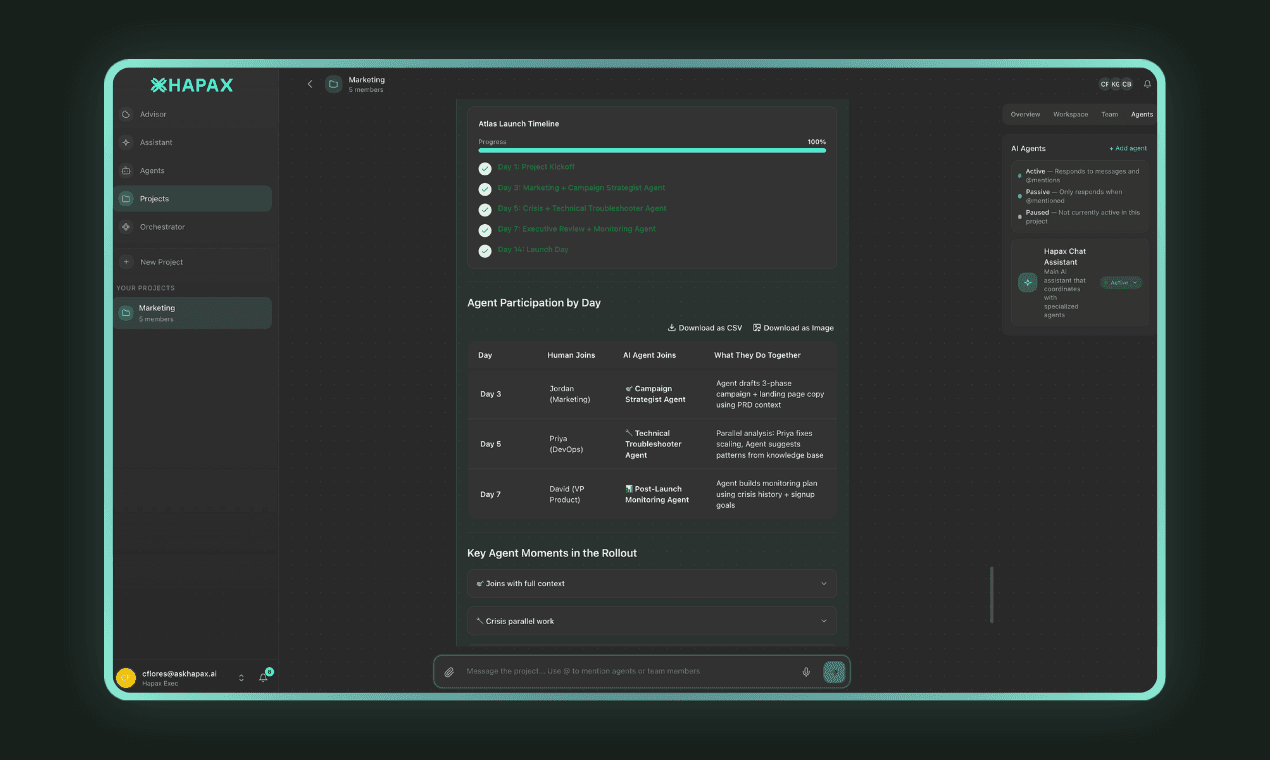
Full Visibility and Control
Autonomous doesn't mean invisible. The task orchestration layer gives you a complete view of everything agents are working on across all projects: tasks in progress, where they need human input, outputs ready for review, and a full audit trail of every action taken.
You control the level of autonomy. Some workflows run fully autonomously with agents handling everything end-to-end. Others have mandatory human review steps before outputs are finalized. You define the guardrails, and the system respects them. Jump into any workflow at any point. Override any decision. The AI handles the volume; you maintain the judgment.
- ● Real-time orchestration view across all agent workstreams
- ● Configurable autonomy levels per workflow
- ● Human-in-the-loop approval for sensitive outputs
- ● Complete audit trail of every AI action and decision
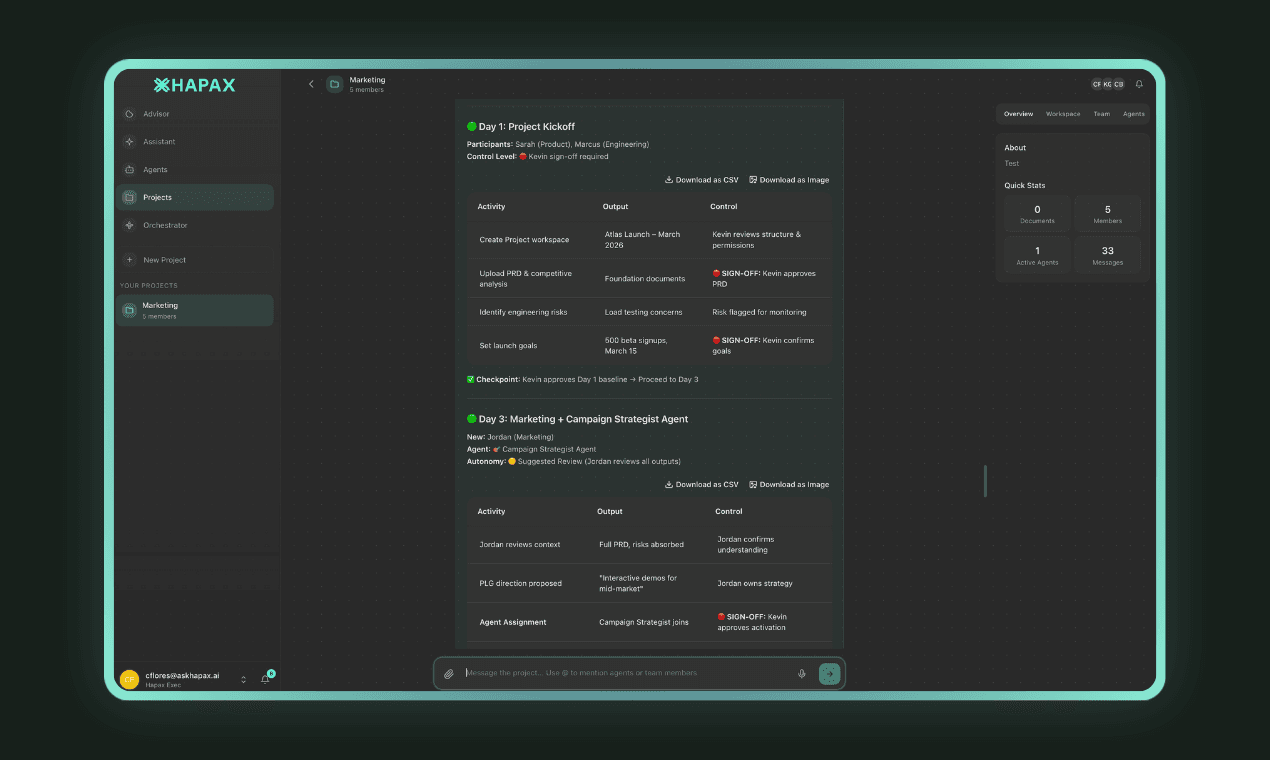
What a day looks like inside the Human-AI OS
This isn't hypothetical. This is what teams using Hapax experience every day.
You open Hapax and review your daily briefing. The Proactive Advisor identified 3 new opportunities overnight and deployed an agent for the highest-priority one.
In the Q3 planning Project, the research agent flags that competitor pricing changed yesterday. It's already pulling updated comparisons and drafting a summary for the team.
A team member @mentions the financial analysis agent in the Project: 'Can you model what this pricing change means for our margins?' The agent starts working immediately with full project context.
The analysis agent delivers three scenarios. A peer review agent checks the methodology and confirms the numbers. The output enters your review queue.
You review and approve Scenario B. The communications agent drafts a stakeholder update. You make two edits and send. The entire cycle, from detection to stakeholder communication, took 2 hours, not 2 days.
A P1 support ticket triggers a cascade. The response coordinator agent notifies the right people, pulls relevant context from the knowledge base, and starts drafting a root cause analysis. You oversee the response, not manage the logistics.